

Hey there, creative soul! 🎨 Ready to blast your digital art into a whole new dimension? We’re back with Part 3 of our deep dive into the phenomenal ihemalaya collection, and trust me, this lineup is absolutely packed with fire. From lava and lightning to dreamy watercolors and glitchy animations, these ihemalaya Photoshop actions are your secret weapons for jaw-dropping designs. Let’s jump right in and explore 20 of the most incredible tools you can add to your arsenal right now! ✨
Why Use These Creative Photoshop Tools?
Whether you’re a seasoned graphic designer or a passionate hobbyist, having a library of one-click effects saves you hours of manual work. With these Photo Editing Actions, you can instantly add professional-grade drama, texture, and fantasy vibes to any image. Plus, they’re perfect for social media content, posters, album art, or just having fun with your photography! 🚀
Top 20 Creative Photoshop Tools Picks
The Ultimate Photoshop Actions Mega Pack by ihemalaya

This is the ultimate treasure chest! 🎁 With 23 powerful actions inside, you get everything from stunning photo effects to wild abstract transformations. It’s like having a Swiss Army knife for Photoshop—absolutely essential for any artist’s toolkit!
Lava Flames Glow Photoshop Action

Ignite your designs with the heat of a volcano! 🌋 This action creates sizzling, glowing lava and flame effects that add serious drama and energy to any photo. Perfect for album covers, posters, or anything that needs a fiery kick!
Mythic Photoshop Action

Unleash your inner wizard! 🧙♂️ This action adds a magical, fantasy-infused glow to your images, making them look like they stepped right out of a legend. Your audience will be spellbound!
Nebula Photoshop Action

Bring the cosmos to your canvas! 🌌 This action generates stunning cloud, particle, and starlight effects that feel like deep space. It’s pure magic for sci-fi lovers and dreamy edits.
Photoshop Actions Bundle – Oct 22
A fabulous variety pack that keeps on giving! 🎉 This bundle is perfect for experimenting with different styles, from moody tones to vibrant pops. It’s a generous grab bag of creative power.
Powder Splash Photoshop Action
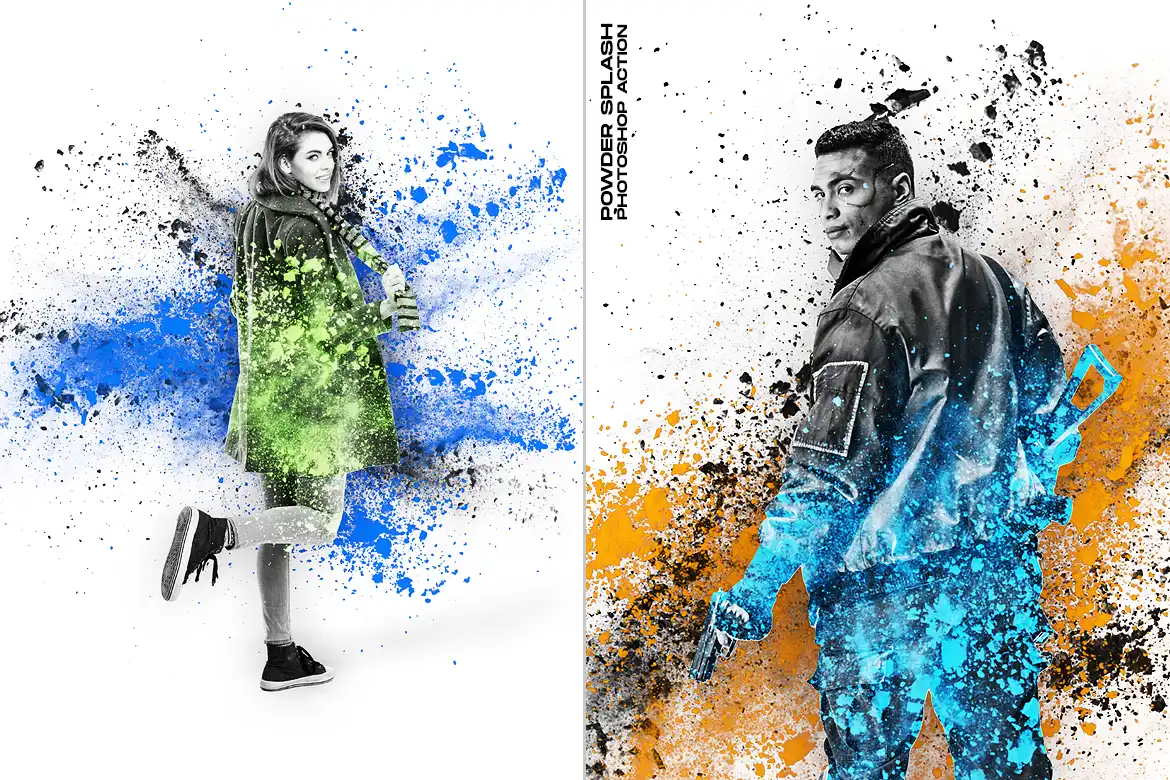
Add colorful explosions of powder to your portraits! 🎨 This effect creates vibrant, messy, and totally eye-catching splashes that bring motion and life to any composition.
Power Storm Photoshop Action

Let the thunder roll! ⚡ This action electrifies your images with intense storm clouds, lightning bolts, and dramatic weather effects. It’s pure adrenaline for your art.
Rain Photoshop Action

Make it rain! 🌧️ This action adds realistic, moody raindrops and streaks to your photos, creating that cinematic, melancholic vibe we all love. Perfect for storytelling.
Rangers Photoshop Action
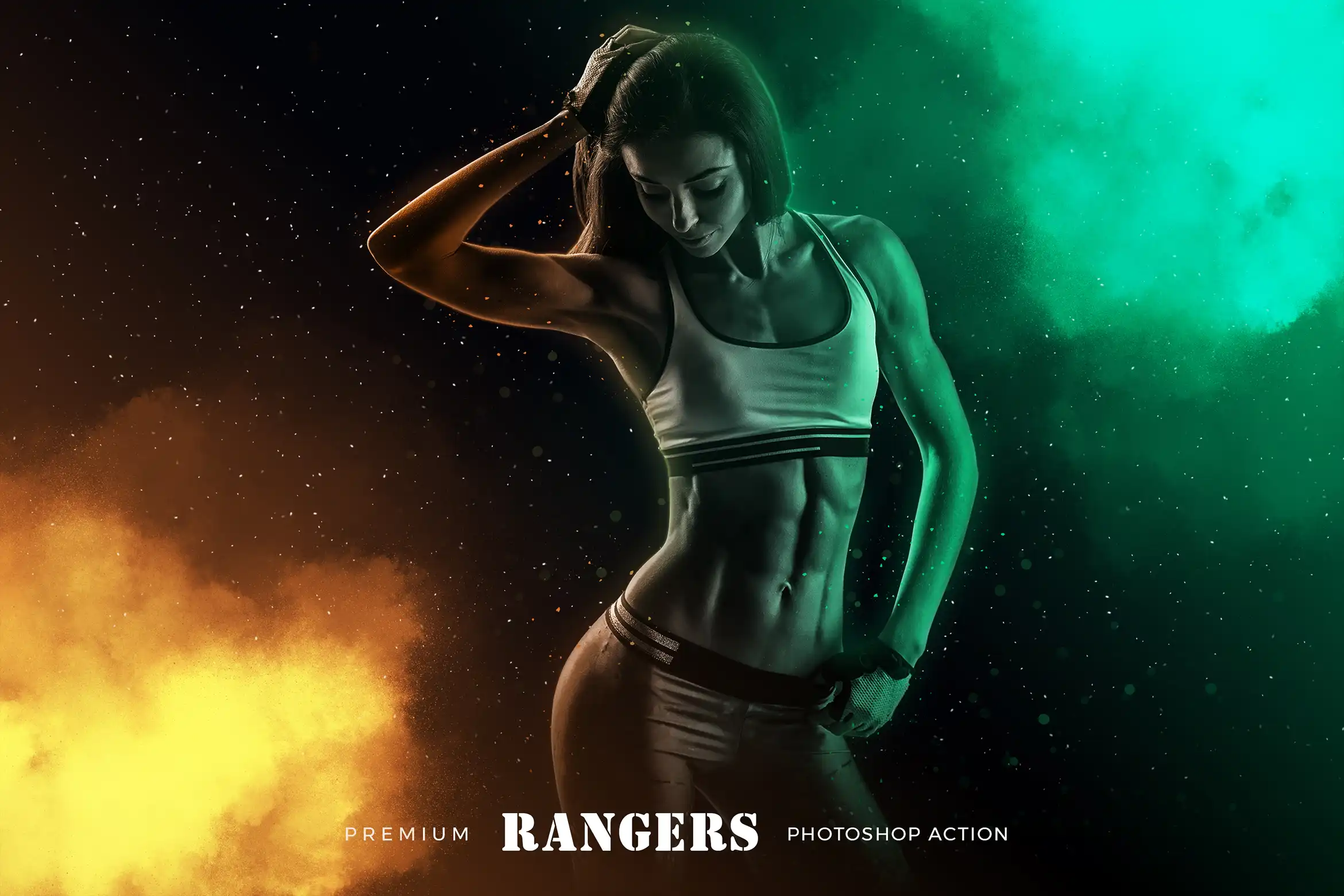
Go on a creative adventure! 🗺️ This action delivers energetic, comic-style effects with a gritty, action-packed edge. It’s fantastic for dynamic portraits and hero shots.
Realistic Toon Photoshop Action

Who says toon has to be flat? 😎 This action turns your photos into vibrant, illustrated cartoons while keeping a realistic touch. It’s the best of both worlds!
Rime Photoshop Action

Embrace the frost! ❄️ This action covers your images in beautiful, icy frost and crystalline effects. It’s perfect for winter themes, fantasy worlds, and ethereal edits.
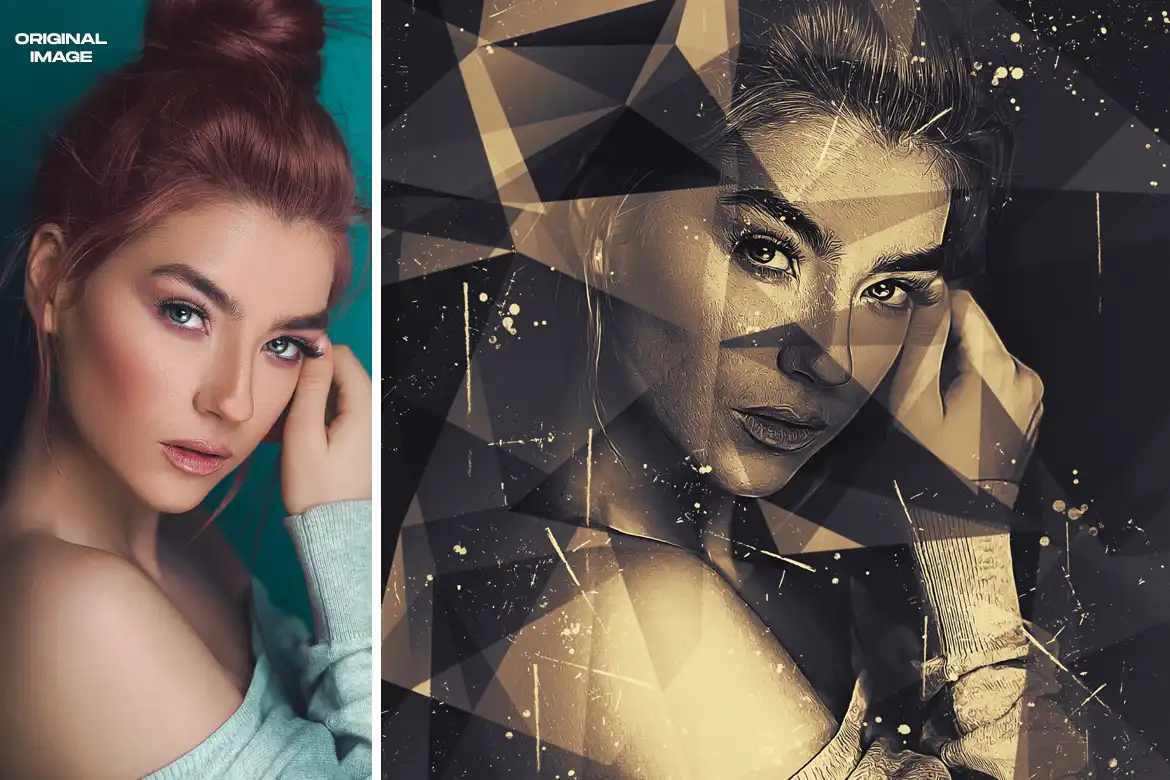
Triangles Photoshop Action

Get geometric! 🔺 This action creates stunning low-poly and triangle-based abstract art from your photos. It’s a total showstopper for modern, minimalist designs.
TypoMix 2 Photoshop Action

Words have never looked this cool! ✍️ This action gives your typography a vibrant, mixed-media makeover with textures, colors, and depth. Perfect for posters and quotes.
Watercolor 2 Photoshop Action

Dream in watercolor! 🎨 Transform your photos into soft, flowing masterpieces with realistic paint splatters and washes. It’s like having a brush full of magic.
4 Photoshop Actions Bundle

Double the creativity, half the price! 🚀 This bundle gives you four unique actions to experiment with, offering a range of effects from artistic to photographic. A total steal!
Actions Bundle May22 – Photoshop Actions

Another stellar collection of must-have actions! 🌟 This bundle is packed with versatile effects that streamline your workflow and add that professional “wow” factor instantly.
Animated Glitch Photoshop Action
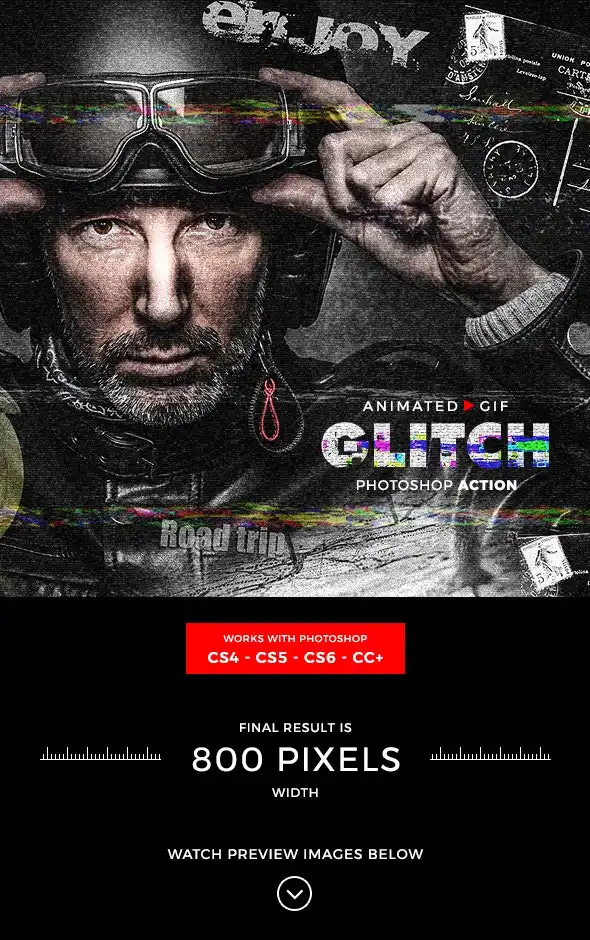
Break the matrix! 💻 This action creates eye-catching glitch effects that actually animate! Perfect for cyberpunk vibes, music videos, and anything that needs a digital edge.
Blasting Photoshop Action
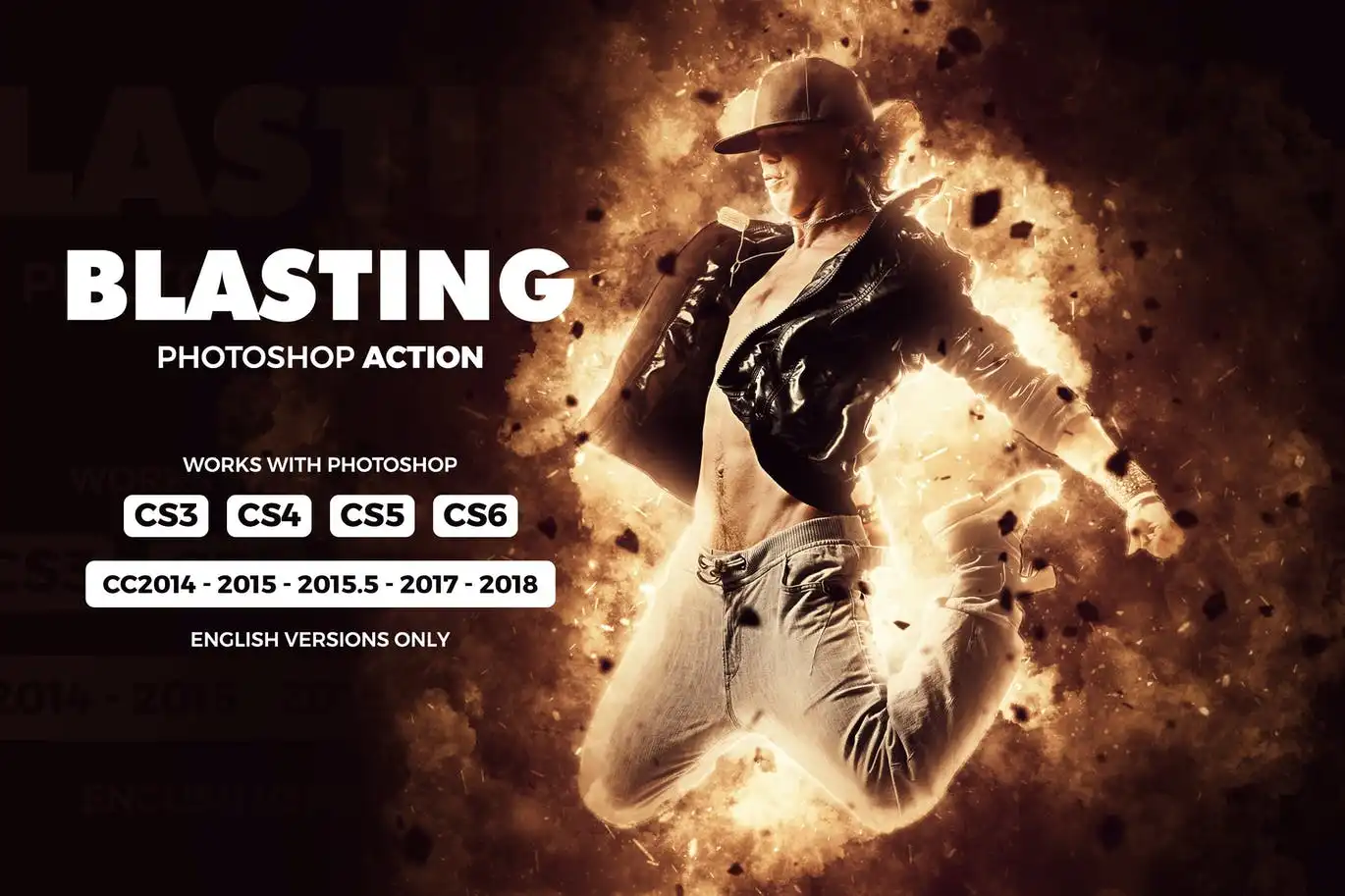
BOOM! 💥 This action delivers high-energy explosive effects—think dust, debris, and shockwaves. It’s the secret sauce for action-packed, cinematic images.
Cartoonize 3 Photoshop Action

Turn any photo into a cartoon masterpiece! 🎬 With just one click, you get smooth, stylized lines and vibrant colors. It’s pure fun for social media or personal projects.
Collage Art Photoshop Action
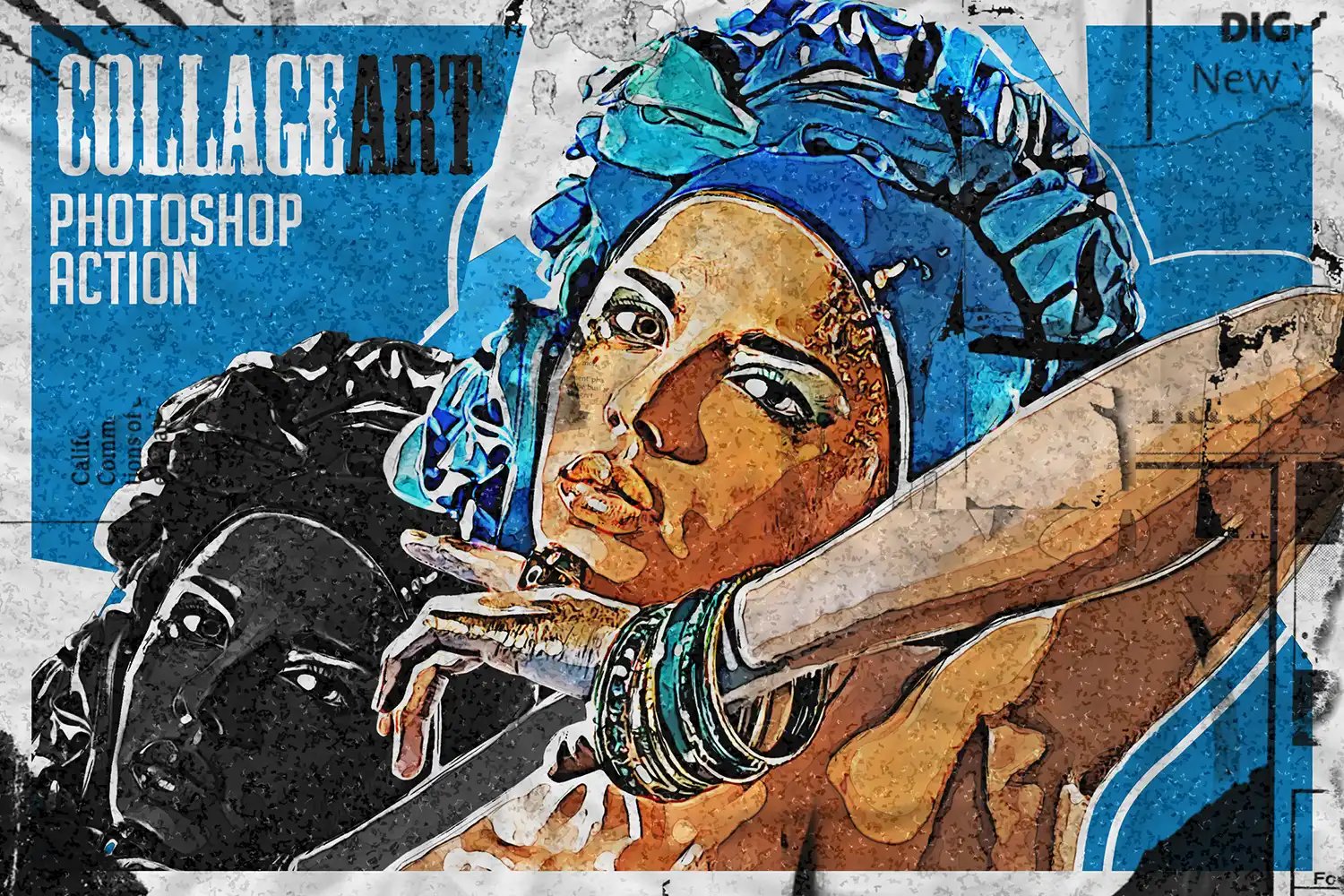
Snip, clip, and create! ✂️ This action gives your photos a beautiful hand-crafted collage look, complete with paper textures and torn edges. It’s wonderfully artistic and nostalgic.
Conclusion
And that’s a wrap on Part 3 of the ihemalaya collection! 🎉 Whether you’re creating fire-breathing dragons, glitchy album art, or soft watercolor portraits, these Photoshop Actions give you all the power you need to level up your creative game. Each one is a one-click miracle that saves time and boosts your artistic flair. So go ahead, grab your favorites, and let your imagination run wild! 🚀
Frequently Asked Questions
What is a Photoshop Action and how do I use it?
A Photoshop Action is a pre-recorded sequence of steps that automates complex editing tasks in Adobe Photoshop. You simply load the action file (.atn), click play, and watch the magic happen! It’s perfect for achieving professional effects instantly without manual work. 🎯
Are these ihemalaya actions compatible with all versions of Photoshop?
Yes! These actions are designed to work with most modern versions of Adobe Photoshop (CS6, CC, and later). Just make sure you’re using a version that supports layer styles and adjustment layers. Always check the product description for any specific requirements. ✅


