

Hey there, creative soul! 🎨✨ Are you tired of showing off your brilliant designs on boring, flat backgrounds? I hear you. That’s exactly why I’m absolutely buzzing to introduce you to the one_zero Collection—a stunning lineup of hyper-realistic mockups that will make your work look like it belongs in a high-end gallery. Whether you’re a seasoned graphic designer or just starting out, these tools are your secret weapon to impressing clients and leveling up your portfolio. Let’s dive into this creative treasure chest, shall we? 🚀
Why Use These Mockups?
In a world where first impressions are everything, presenting your designs in a real-world context is non-negotiable. Using premium mockups like these from the one_zero collection saves you hours of tedious photoshop work and instantly adds a layer of professionalism that screams, “I know what I’m doing!” 🙌 Whether you’re pitching a branding concept, launching a new product line, or just updating your Instagram feed, these templates offer the perfect canvas to let your creativity shine without any distractions.
Top 6 one_zero Collection Picks
Magazine Landscape Mockup
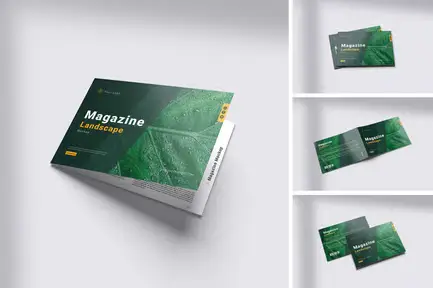
Oh, this one is a total game-changer for editorial designers! 📖✨ The Magazine Landscape Mockup lets you showcase your spreads in a beautifully composed, realistic setting that makes your layouts pop. Imagine flipping through a coffee table book filled with your best work—this mockup makes that dream a reality. The lighting and shadows are so spot-on, your clients will think you printed it out just for them! 🌟
Totebag Mockup
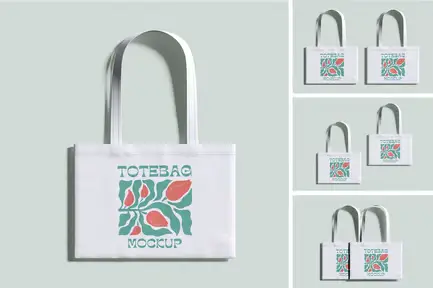
Who doesn’t love a stylish tote bag? 👜🎨 This Totebag Mockup is the ultimate way to present your logo, illustration, or slogan in a way that feels organic and trendy. The fabric texture is incredibly realistic, and the lighting captures every fold perfectly. Whether you’re designing for a sustainable brand or a quirky startup, this mockup will make your graphics look like they’re ready to hit the runway! 🌿✨
Iphone 16 Mockup
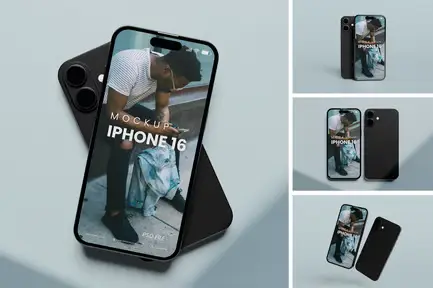
Show off your app designs or mobile wallpapers with the sleekest tech mockup out there! 📱🚀 The iPhone 16 Mockup comes with four meticulously crafted views that make your screen designs look ultra-premium. The reflections and bezels are so crisp, you’ll feel like you’re holding the actual phone. Perfect for UI/UX designers or digital artists who want their work to look cutting-edge and modern. ✨
Ice Creame Cup Mockup
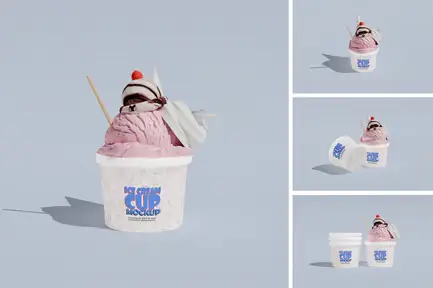
Get ready to make your branding look as sweet as a summer treat! 🍦🎨 The Ice Cream Cup Mockup features four beautifully crafted PSD files that are perfect for food packaging designs or dessert brand concepts. The glossy finish on the cup and the subtle shadows make your artwork look mouthwatering. I’m telling you, this is the cherry on top for any foodie designer’s toolkit! 🍒✨
High Quality Cap Mockup
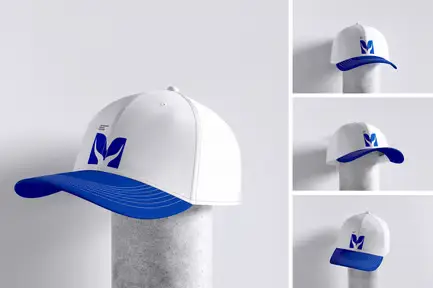
Step up your streetwear game with this fire cap mockup! 🧢🔥 The High Quality Cap Mockup gives you four incredibly detailed PSD files with realistic fabric textures and perfect lighting. Whether you’re designing for a merch drop or a sportswear brand, this mockup makes every stitch and embroidery look next-level. Your clients will be lining up to place orders! 📈✨
CD Cover Mockup
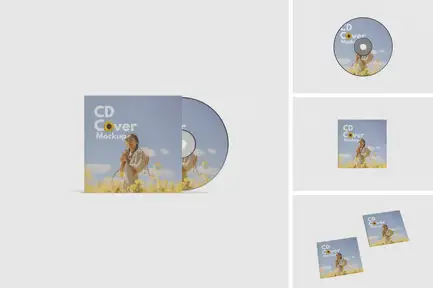
Time to bring back the retro vibes with a modern twist! 💿🎵 The CD Cover Mockup is a must-have for musicians, album art designers, and anyone who loves the aesthetic of physical media. The reflective surface of the disc and the crisp sleeve details are absolutely stunning. Slap your psychedelic or minimalist art on this, and watch your portfolio get all the likes and shares! 🌟✨
Conclusion
There you have it, my creative friends! 🎉 The one_zero Collection is hands-down one of the best investments you can make for your design career right now. From magazines to ice cream cups, each mockup is crafted with love and attention to detail that will make your work stand out in a crowded market. Don’t wait—click those buttons, grab your favorites, and start presenting your art like the superstar you are! 🚀✨
Frequently Asked Questions
Are these mockups easy to edit for beginners?
Absolutely! 🙌 Each mockup comes with well-organized Photoshop (.PSD) files that use smart objects. All you have to do is double-click the smart object layer, paste in your design, save it, and boom—your artwork appears perfectly placed. Even if you’re new to Photoshop, you’ll feel like a pro in minutes!
Can I use these mockups for commercial projects?
Yes, you can! 🚀 The one_zero mockups are licensed for commercial use, meaning you can use them for client work, portfolio presentations, and even for sale on print-on-demand platforms. Just be sure to check the specific license terms on the product page for any minor restrictions.


