
Hey there, creative soul! 👋 Ready to supercharge your digital art game? The DesignRocketNet Collection Part 2 is here, and trust me, it’s a treasure trove of Photoshop magic that will make your jaw drop. From spraying thousands of PNGs in seconds 🚀 to turning your photos into cozy knitted masterpieces 🧶, this collection has everything a modern artist needs. Let’s dive into these five absolute gems that will transform your workflow and ignite your imagination! ✨
Why Use These DesignRocketNet Tools?
If you’re tired of spending hours on tedious effects or fighting with complex settings, these tools are your new best friends. Each product in this collection is built to save you time while delivering professional-grade, jaw-dropping results. Whether you’re a graphic designer craving organic textures or a digital painter wanting to mimic traditional media, these extensions and actions give you that perfect “wow” factor with just one click. 🌟 Plus, they’re ridiculously fun to use!
Top 5 DesignRocketNet Picks
Super Spray – PNG Spray Extension for Photoshop
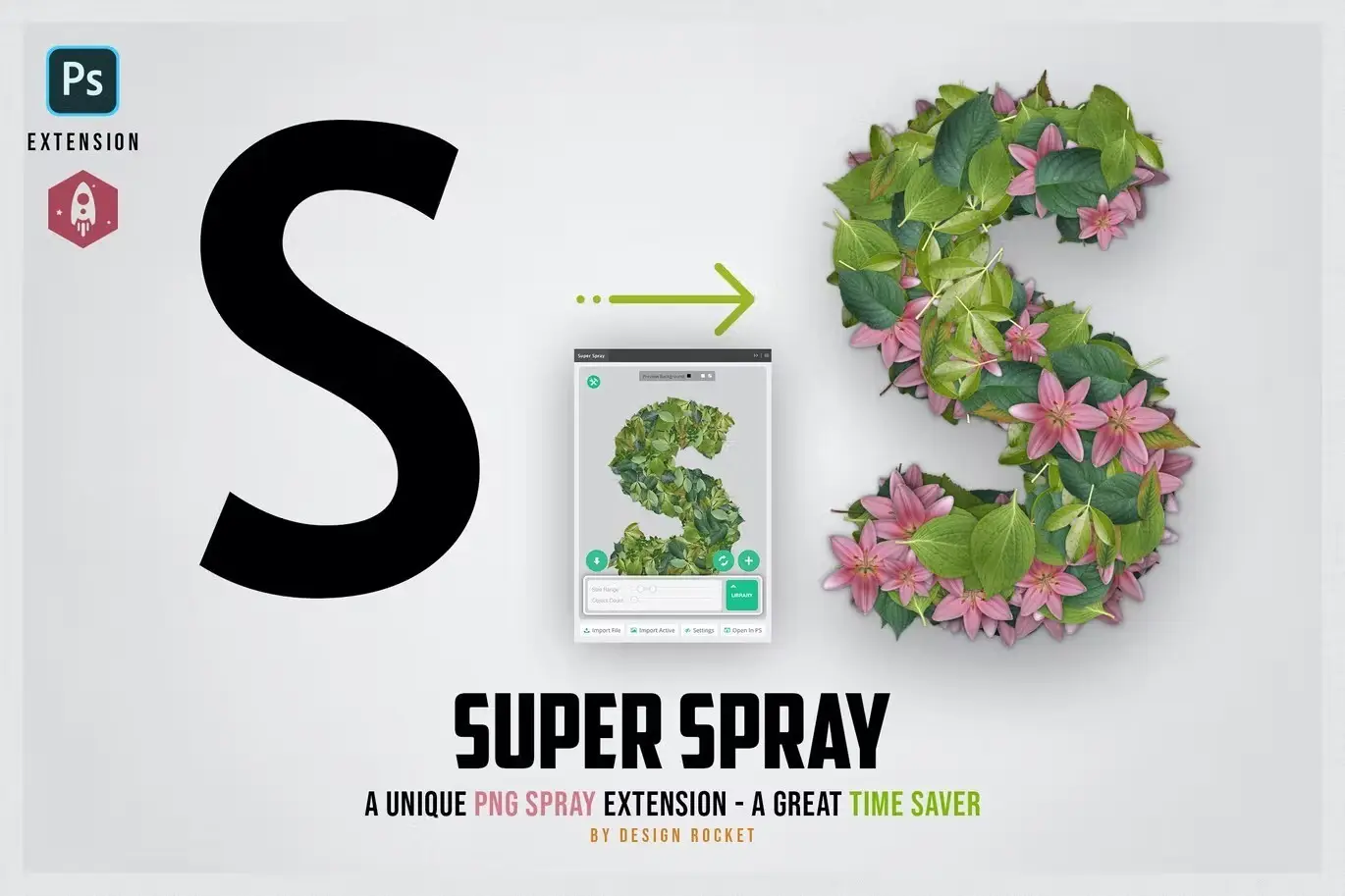
Okay, this is pure wizardry 🧙♂️! Super Spray lets you spray hundreds—even thousands—of PNG objects onto your canvas with just a brush stroke. Imagine filling any shape with flowers, stars, or custom PNGs effortlessly, or creating mind-blowing text effects that look like they’re sprinkled with magic dust. This extension is a total timesaver for anyone who loves random placement, repeat patterns, or simply wants to add massive detail to their designs without the manual headache. Get ready to have fun! 🎉
✨ Get This Now by DesignRocketNet
Felt-Tip Illustrator Photoshop Action
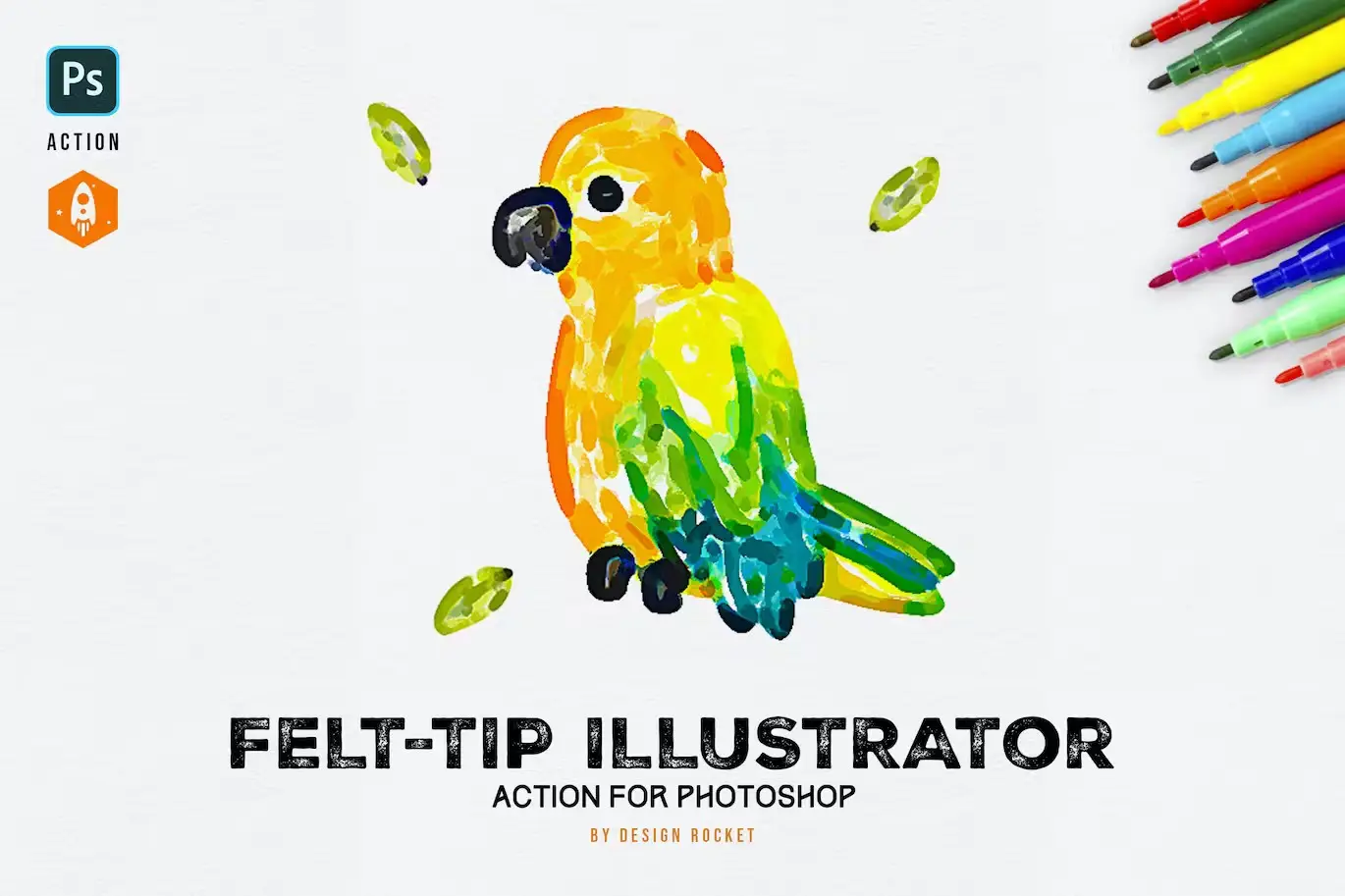
There’s something so nostalgic and charming about hand-drawn art, right? ✍️ With the Felt-Tip Illustrator action, you can turn any flat graphic or photo into a gorgeous felt-tip pen illustration that screams “handmade with love.” It perfectly captures that playful, organic, sketchy vibe—like you just doodled it in your notebook. This is a dream come true for drawing lovers and anyone wanting to add a personal, artistic flair to their projects. 🖋️
✨ Get This Now by DesignRocketNet
Engraving Studio Hatching Effect Action
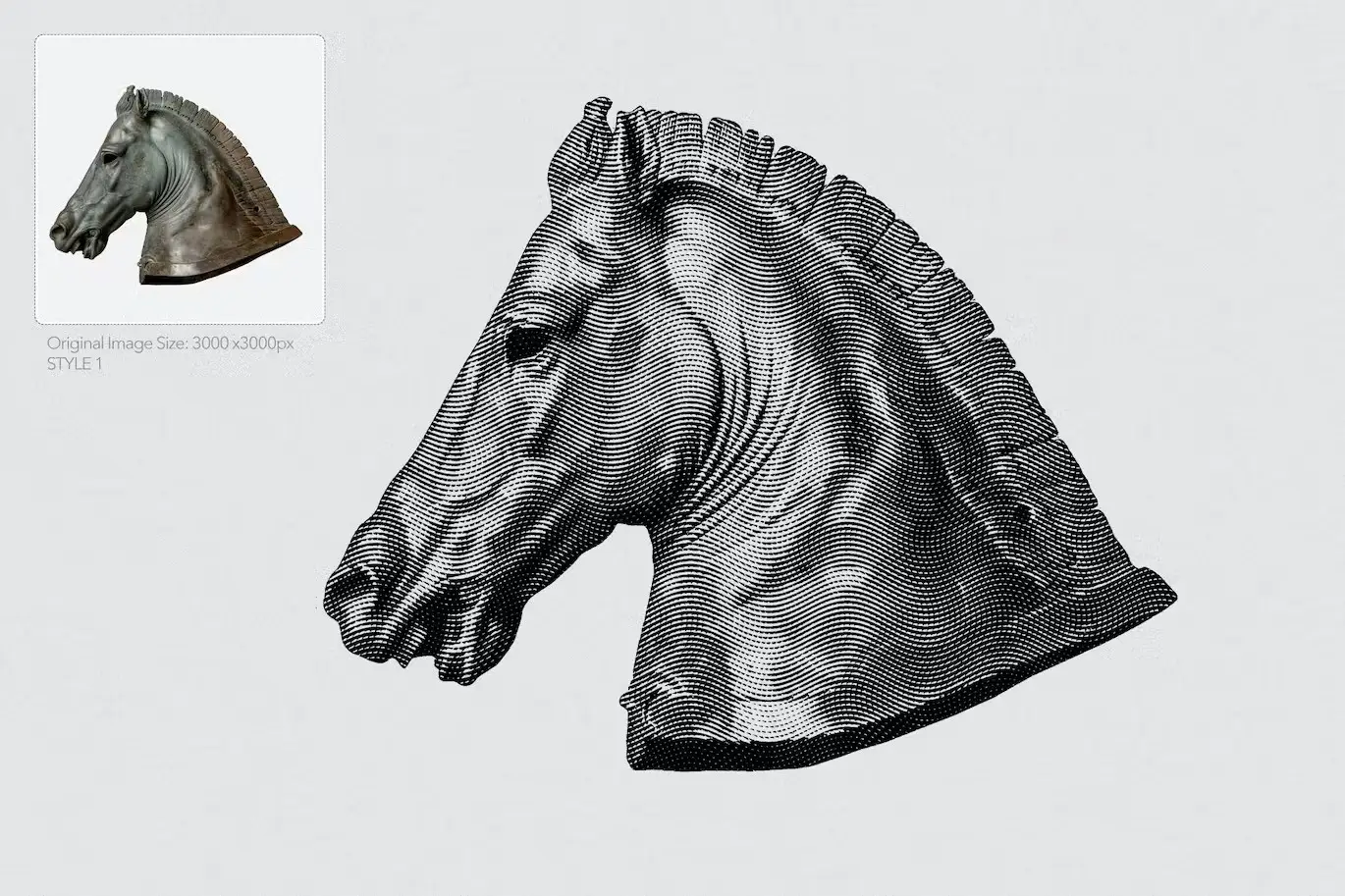
Want to add a dash of vintage sophistication? 🕰️ The Engraving Studio action transforms your photos into stunning, cross-hatched engravings that look like they came straight out of a 19th-century art book. The depth and texture are simply mesmerizing! It’s perfect for creating unique portraits, album covers, or any design that needs that timeless, intricate look. Artists and designers will adore the effect and the rich, tactile feel it brings. 🖼️
✨ Get This Now by DesignRocketNet
O’Paint Impressionist Oil Paint Action
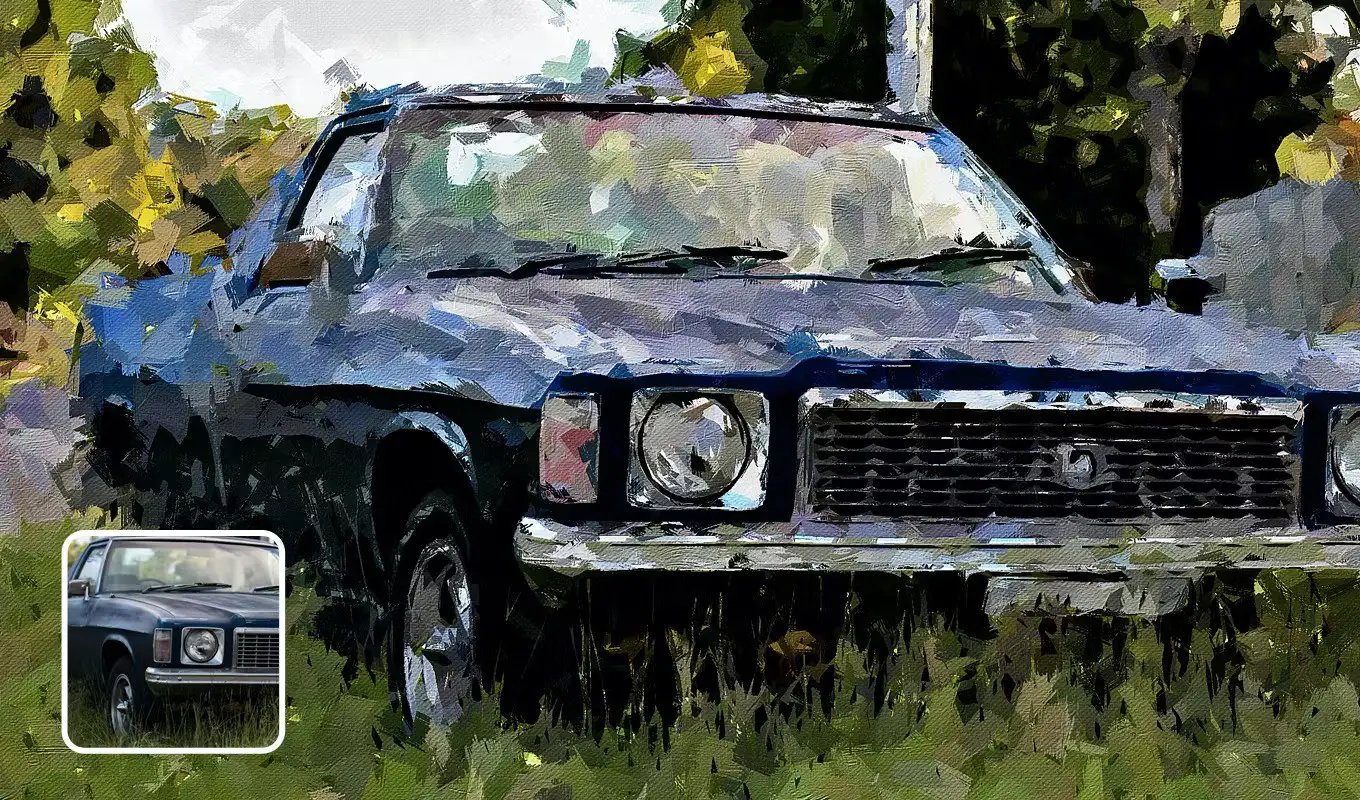
Calling all art lovers who dream in color! 🎨 The O’Paint Impressionist Oil Paint Action turns your photos into breathtaking, Monet-style masterpieces with thick, luscious brushstrokes. And the best part? You get three different actions for small, medium, and large brush sizes—so you can control the level of abstraction. Whether you want subtle texture or a bold, painterly explosion, this action delivers every single time. It’s pure emotion on canvas! 🖌️
✨ Get This Now by DesignRocketNet
Knitting Studio – Knitted Effect Photoshop Action
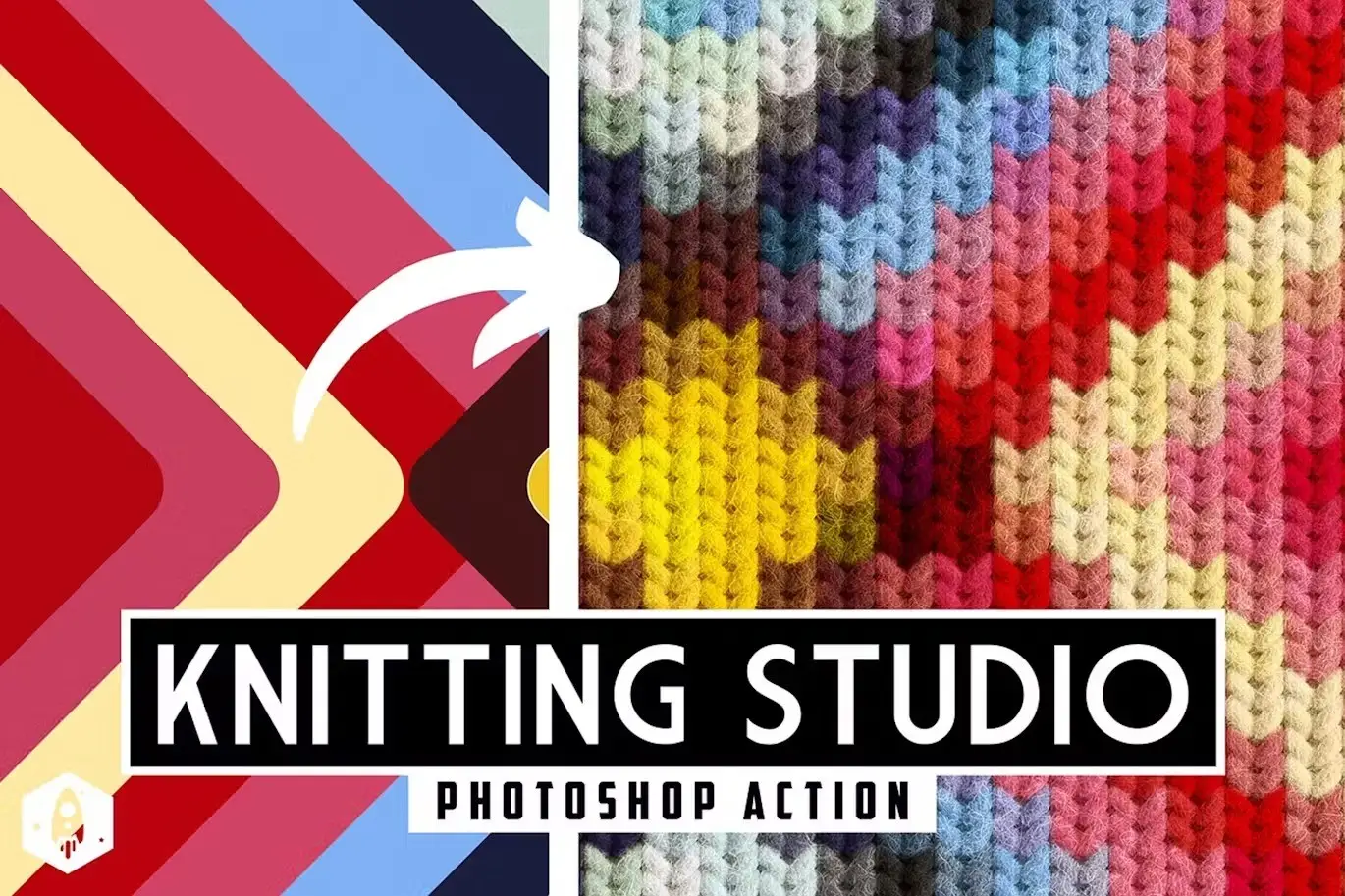
Get ready for the coziest design tool ever! 🧣 Knitting Studio lets you wrap your images in a warm, knitted texture that feels like a hug. Perfect for holiday cards, winter-themed graphics, or just adding a touch of handmade charm to your work. The detail in the stitches is incredible—it looks like you could actually feel the yarn! This action is a total game-changer for anyone looking to create warm, inviting visuals that stand out. 🧶
✨ Get This Now by DesignRocketNet
Conclusion
The DesignRocketNet Collection Part 2 is an absolute goldmine for any digital artist or designer looking to level up their Photoshop game. From the sheer power of Super Spray to the nostalgic charm of Felt-Tip Illustrator and the cozy warmth of Knitting Studio, there’s something here to spark every kind of creativity. Don’t wait—these tools fly off the shelf faster than you can say “artistic breakthrough” 🚀. Grab your favorites today and start creating magic!
Frequently Asked Questions
What is the best way to use the Super Spray PNG Spray Extension?
The Super Spray extension is incredibly versatile! You can use it to fill custom shapes with PNG elements (like flowers or stars), create dynamic text effects with repeated objects, or quickly populate backgrounds with random placements. Just select your brush and spray away—it’s that simple. 🌸
Can I use the Felt-Tip Illustrator action on any type of image?
Absolutely! The action works beautifully on both flat graphics and photographs. It converts your image into a hand-drawn, felt-tip pen style that adds an organic, playful feel. It’s perfect for illustrations, logos, or even portraits that need a sketchy, artistic touch. ✍️


